- statusclosed beta v0.1.0
- stacknext.js + appwrite
- hostingself-hosted
- roledesign + full-stack
01 / CLOUD STORAGE
MangoByte
One familiar place for family and friends to keep their files, with hosting I manage for them.
> PROJECT SUMMARY
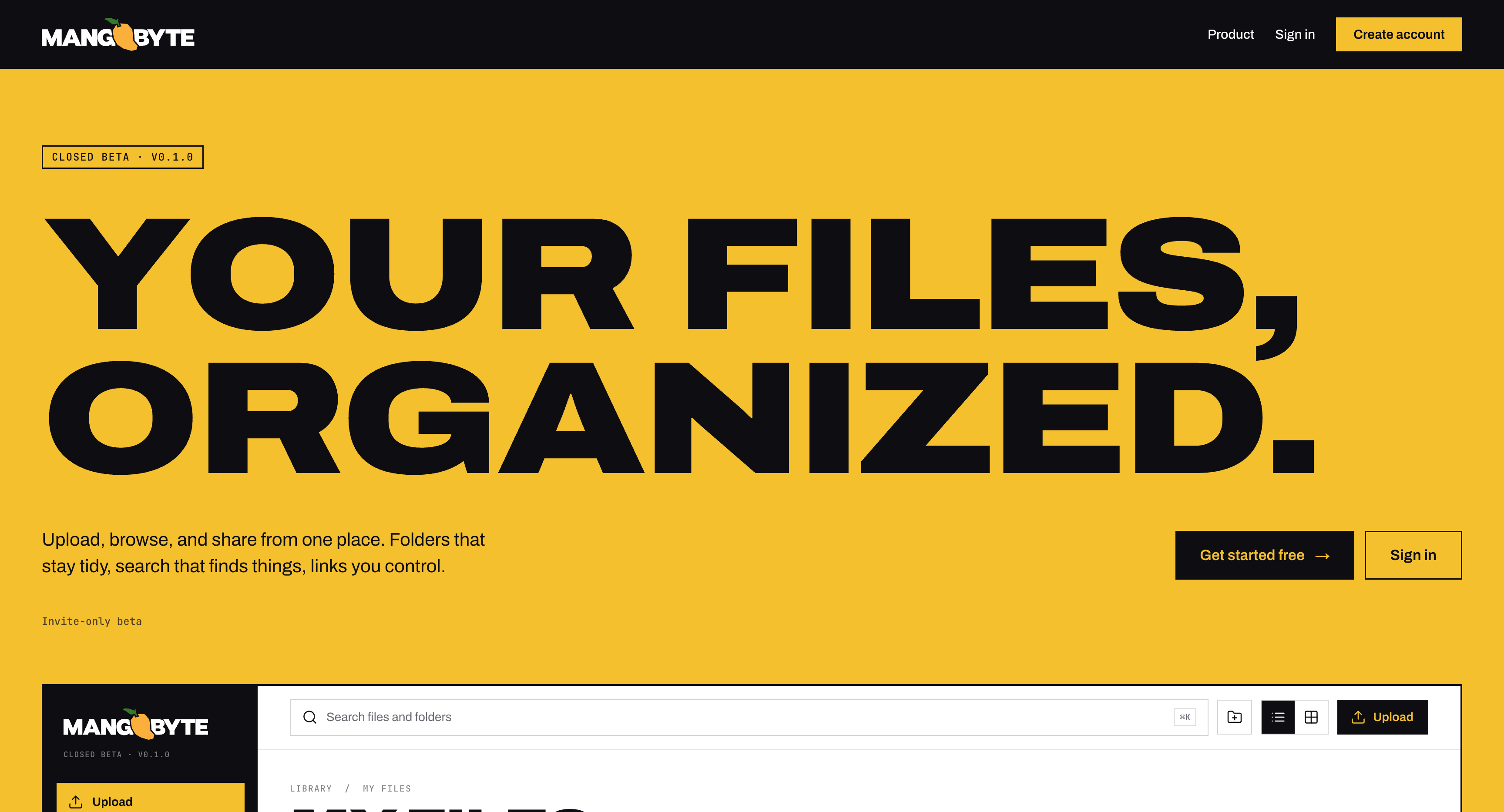
I built MangoByte for family and friends who were juggling several cloud storage services and subscriptions. It brings their files into one familiar drive, with hosting I manage for them.
I designed and built email sign-in, folders, search, upload progress and file recovery. The product is live in closed beta with roughly 7–10 users, with free storage and paid plans at $2 and $5 per month.
The story
MangoByte grew out of a practical need: my family and friends were managing files and subscriptions across several cloud services. I designed, built and operate a familiar drive that gives them one place to manage their files.
- 01PURPOSEGive family and friends one place for files scattered across services. jumpDESIGN
- 02WORKFLOWMake signing in, uploading and finding files feel familiar. jumpDESIGN
- 03SYSTEMSupport personal file libraries on infrastructure I manage. jumpFULL-STACK
- 04PRODUCTBring the drive to a small user group with free and paid storage. jumpFULL-STACK
The problem
Problem statement
My family and friends were juggling files across Google Drive, OneDrive and iCloud. Many were not comfortable managing several services, and some ended up paying for four or five subscriptions. I built MangoByte to give them one familiar place to keep, organize and find files, with infrastructure I manage for them.
Before MangoByte
- Files were spread across Google Drive, OneDrive and iCloud.
- People had to switch between services to find and manage their files.
- Less tech-savvy family members and friends found multiple storage services difficult to manage.
- Some were paying for four or five subscriptions across those services.
Architecture
The primary upload path sends bytes directly from the authenticated browser to Appwrite Storage. A Next.js server action then validates ownership and remaining quota, records file metadata and refreshes the library.
SELECT
Browser SDK
TRANSFER
Appwrite Storage
VALIDATE
Next.js action
RECORD
Metadata + quota
REFRESH
File library
One library, with hosting managed for the user
Authentication, file storage and searchable file information work together behind a familiar drive interface. I operate the server so family and friends can focus on their files rather than infrastructure.
Support the everyday file lifecycle
The system supports uploading, organizing, finding and recovering files. Folders and search make the library navigable, while Trash gives users a way to recover from an accidental deletion.
Connect storage plans to the experience
Free and paid plans provide different storage allowances. Visible usage helps users understand their capacity, and billing connects the selected plan to the space available in their library.
Workflow
The core user path in 5 steps.
Enter
Choose sign in or create an account, then enter an email address.
Verify
Enter the six-digit email code to create an authenticated session.
Upload
Review file count and size, upload files or a folder, and watch progress, speed and remaining time.
Organize
Browse folders and breadcrumbs, search, switch views, preview, download, rename or move files.
Recover
Restore a mistaken deletion from Trash or permanently remove files when finished.
Interface
Screens with design decisions pinned beside them.
Make system state visible
Storage usage, batch confirmation, per-file progress and failure details explain what is happening. The browser warns before leaving during an upload, and Trash makes ordinary deletion recoverable.
Keep the drive model familiar
My files, folders, breadcrumbs, search and Trash anchor navigation. List and grid views support different browsing tasks; contextual menus keep file actions nearby. On mobile, navigation becomes a toggleable panel and upload confirmation uses a bottom sheet.
A recognizable, approachable drive
Mango yellow highlights key actions against a clear file workspace. Familiar folders, file lists and visible storage usage make the product approachable for family and friends who are less comfortable managing cloud services.
Stack
| LAYER | TOOL | WHY |
|---|---|---|
| Web app | Next.js 15 · React 19 · TypeScript | Pages, interactive components, server actions and API routes in one typed project. |
| Auth | Appwrite email OTP + sessions | Email token delivery and passwordless session creation. |
| Metadata | Appwrite Databases | Account, file, folder and quota documents alongside authentication. |
| Storage | Appwrite Storage + HDD | Binary files separated from searchable metadata on infrastructure I operate. |
| Runtime | Docker on my server | A containerized, self-hosted Appwrite backend. |
| UI | Tailwind CSS 4 · shadcn · Radix | Shared tokens and reusable forms, dialogs, menus and OTP primitives. |
| Uploads | react-dropzone · Appwrite SDK | File selection and direct browser transfers with progress callbacks. |
| Forms | React Hook Form · Zod | Form state and field validation for authentication. |
| Billing | Stripe | Checkout, billing portal and signed subscription events that update quotas. |
| Motion / icons | GSAP · Lucide | Landing reveals, hover feedback and recognizable file actions. |
Outcomes
- Live closed beta serving approximately 7–10 family members and friends.
- One personal file library for uploading, organizing, finding and recovering files, with hosting managed by me.
- Real payments accepted for Pro ($2/month, 50 GB) and Pro+ ($5/month, 100 GB), alongside a free 1 GB plan.